
One-time Inbox Placement Test
Send a single test email to real seed inboxes across major providers and instantly see whether it lands in the inbox, spam, or promotions tab — before you send to your real audience.
What Is a One-Time Inbox Placement Test?
Know exactly where your email lands, in minutes, before you hit send.
While Recurring Inbox Placement runs continuously in the background to warm up your domain and monitor long-term reputation, One-Time Test is built for a different moment: you’ve just finished a campaign, changed your template, or switched domains, and you want a quick, on-demand check of where that specific email will land.
What You Get With One-Time Test
Instant Placement Results
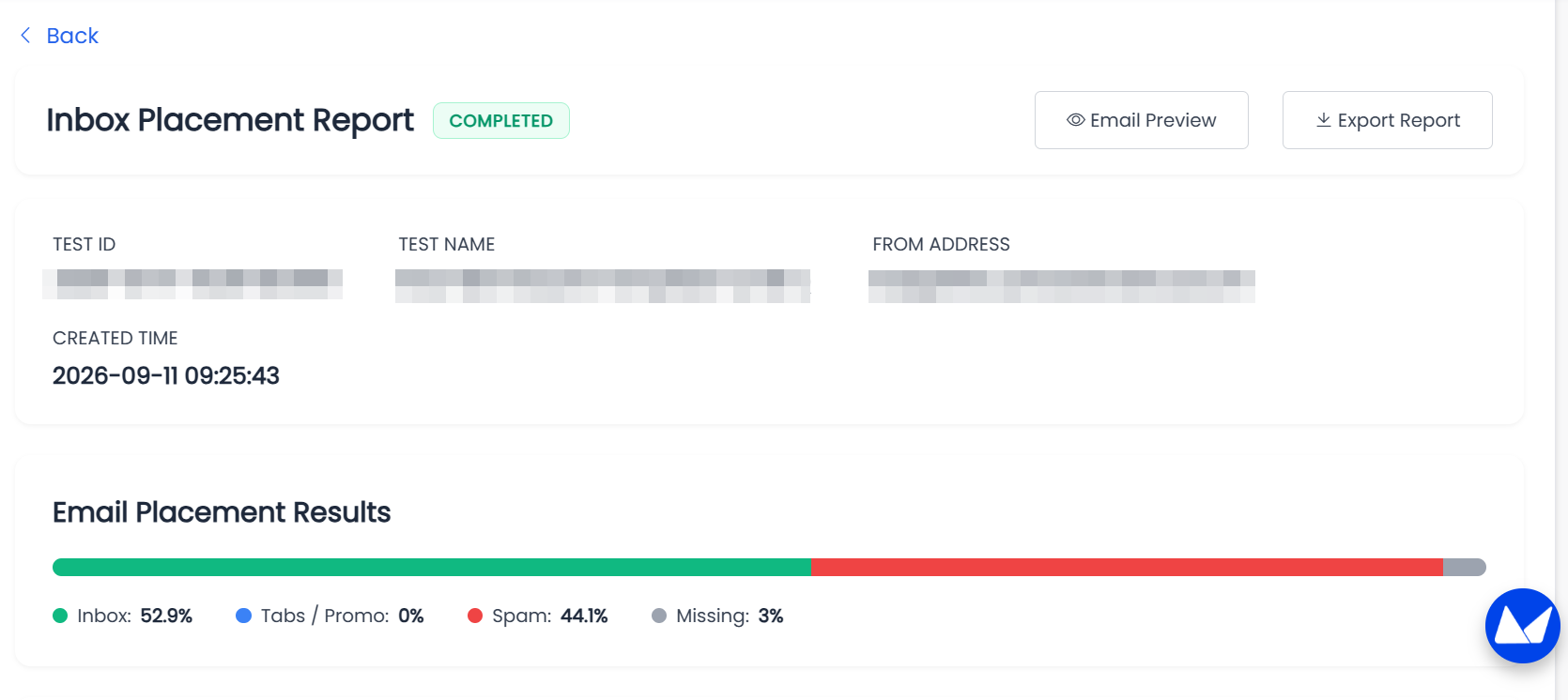
See your Inbox, Spam, and Missing rate across major providers — Gmail, Outlook, Yahoo, Apple Mail, and more — usually within a few minutes of sending.
Per-Provider Breakdown
Results are grouped by provider, so you can quickly spot which providers are placing your email well and which need attention.
Send Straight From Aurora SendCloud
No need to copy seed addresses or send from your own mailbox. Select a saved template, choose your providers, and Aurora SendCloud handles the rest.
The Problem We Solve
Will This Specific Email Land in the Inbox?
The Challenge: You’ve just built a new template or you’re about to launch a time-sensitive campaign. You don’t want to wait for long-term monitoring data — you want to know right now whether this email is going to land well.
Our Solution: Create a test in a few clicks, and Aurora SendCloud sends it to a real seed list on your behalf. Come back in a few minutes to see the placement results, broken down by provider.
What You Get:
- Overall Inbox / Spam / Missing rate
- Provider-level results, sorted by performance
- A history of past tests so you can compare over time
Test Result Placement Definitions
Every seed address in a test falls into one of the following statuses:
| Placement | Meaning |
|---|---|
| Inbox | Your email landed in the recipient’s primary inbox, including secondary tabs such as Promotions or Social. |
| Spam | The receiving mail server flagged your message as unwanted and routed it to the Spam or Junk folder. |
| Missing | No result was received from this provider within the test window. This can mean the email is still being processed, or that it wasn’t received at all. |
Because mail providers use dynamic, real-time filtering, results reflect a percentage distribution rather than a single pass/fail outcome. Test results are a strong directional signal, not a guarantee of how your real audience will experience the email.
Quick Start Guide
Ready to run your first test? Here’s how to get started in under 5 minutes.
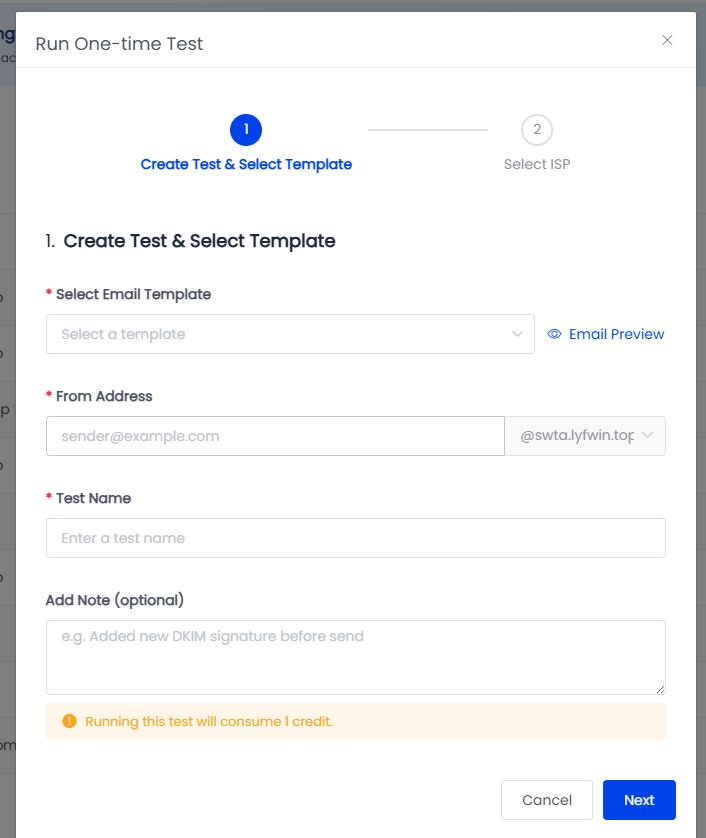
Step 1: Select a Template
Choose a saved email template to test. Using your actual content — rather than placeholder text — gives you the most accurate picture of how it will be placed.
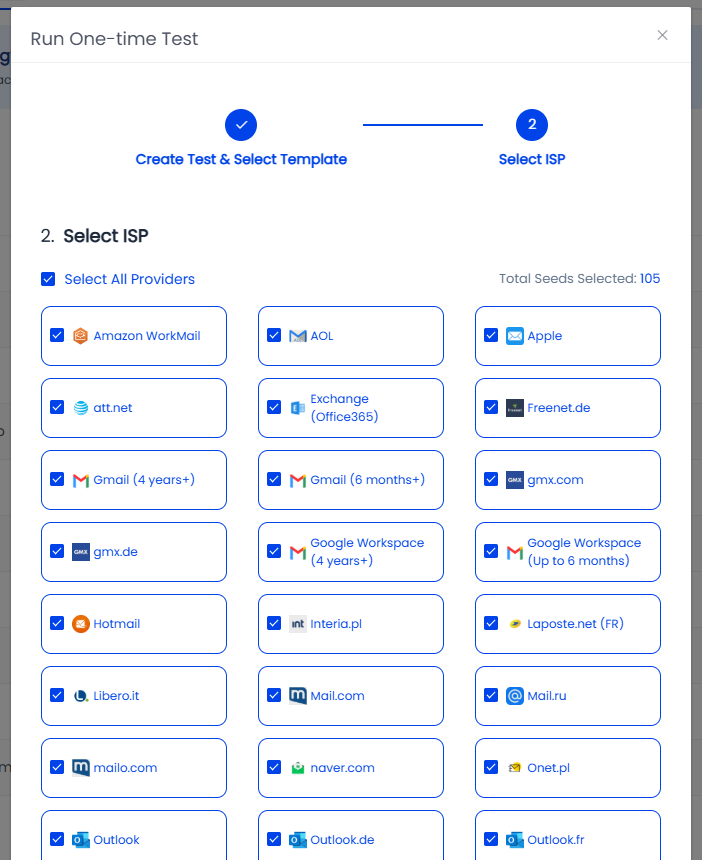
Step 2: Choose Your Providers
Select which providers to include in the test — Gmail, Outlook, Yahoo, and more. You can test against all supported providers or a specific subset.
Step 3: Start the Test
Click Start Test. Aurora SendCloud automatically sends your email to the seed list on your behalf — no manual sending required.
Step 4: Review Your Results
Results begin appearing within a few minutes as providers respond. Once the test is complete, view your full placement report from the Test History list.
Managing Your Test History
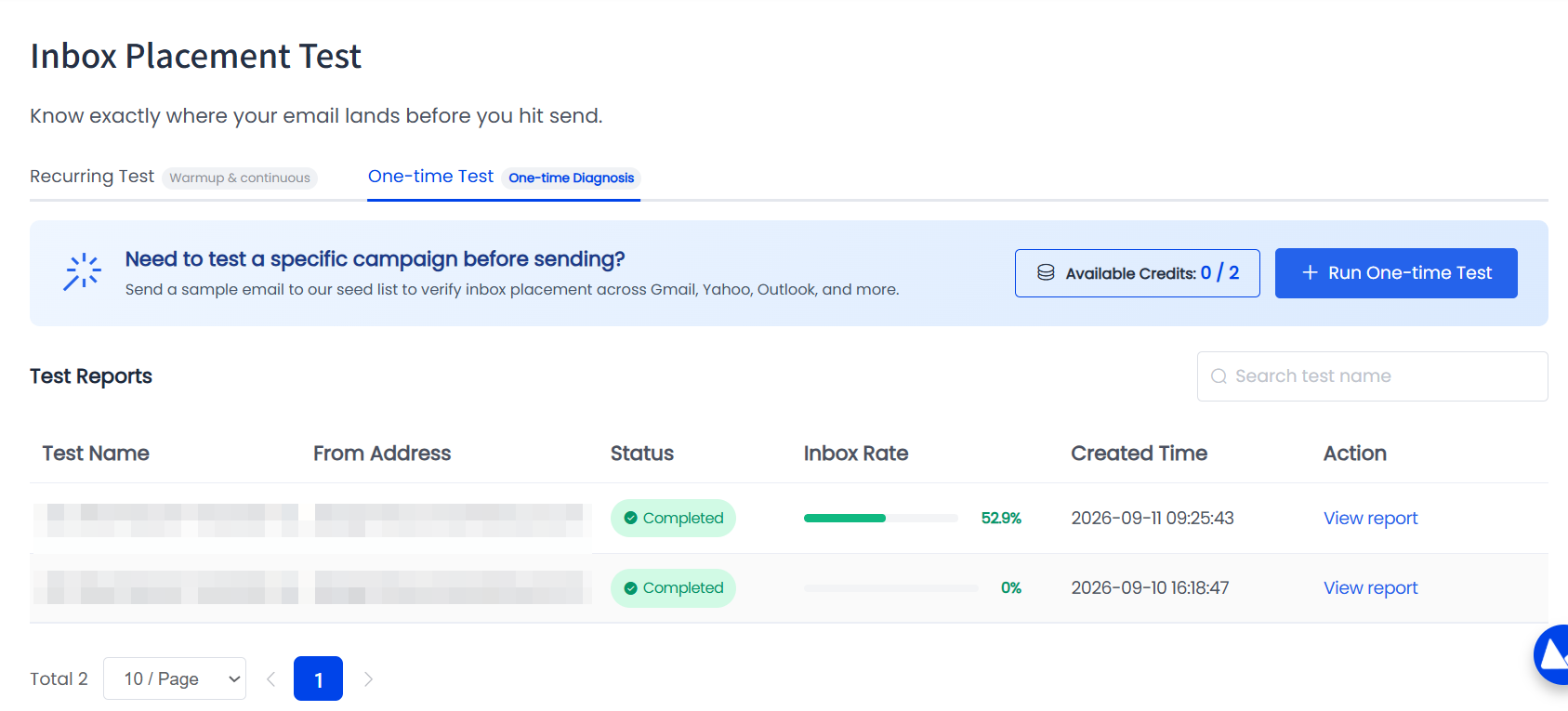
All your past tests are available from the Test History list, where you can:
- View the full placement report for any test
- Search past tests by name
What Makes One-Time Test Different
On-Demand, Not Continuous: Run a test exactly when you need one — no ongoing monitoring required.
Sent For You: No manual copying of seed addresses or switching to another mailbox.
Fast Results: See placement data in minutes, not days.
Your Real Content: Test using the actual template you plan to send, for the most accurate signal.
Looking for continuous, automated domain warm-up and long-term reputation monitoring instead? See Recurring Inbox Placement.
Updated about 2 hours ago