
Inbox Placement Test Overview
Inbox Placement shows you exactly where your emails land — inbox, spam, or missing — across Gmail, Outlook, and other major providers, whether you're running continuous domain warm-up with Recurring Test or checking a specific campaign on demand with One-Time Test.
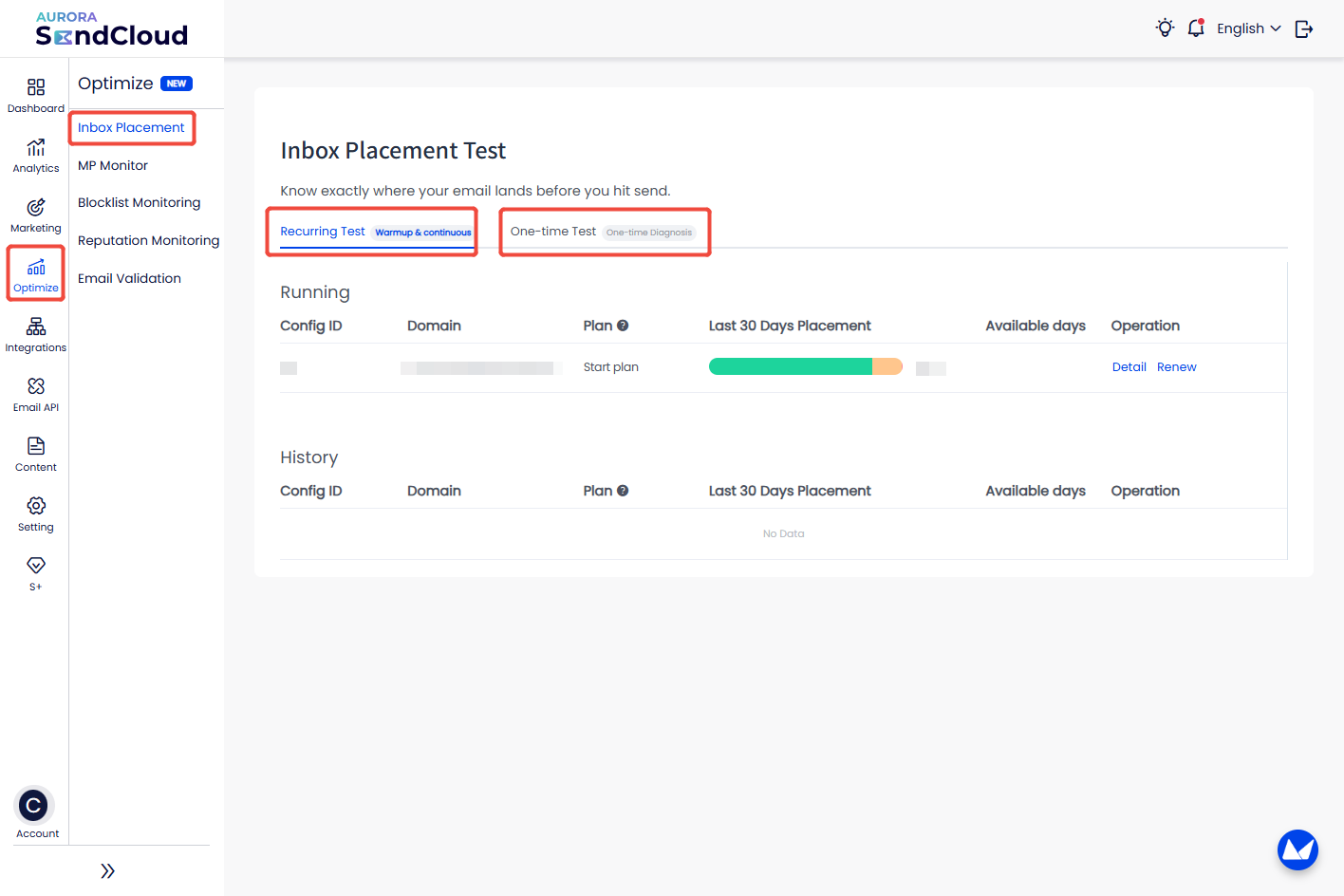
From the Optimize menu, select Inbox Placement to access two testing modes:
- Recurring Test (Warmup & continuous) — ongoing domain warm-up and placement monitoring
- One-time Test (One-time Diagnosis) — a single on-demand check of where a specific email lands
The Recurring Test tab shows your active and past configurations in two sections:
- Running — configs currently active, showing Config ID, Domain, Plan, a 30-day placement trend bar, remaining available days, and quick actions to view Detail or Renew the plan
- History — past configurations that are no longer active
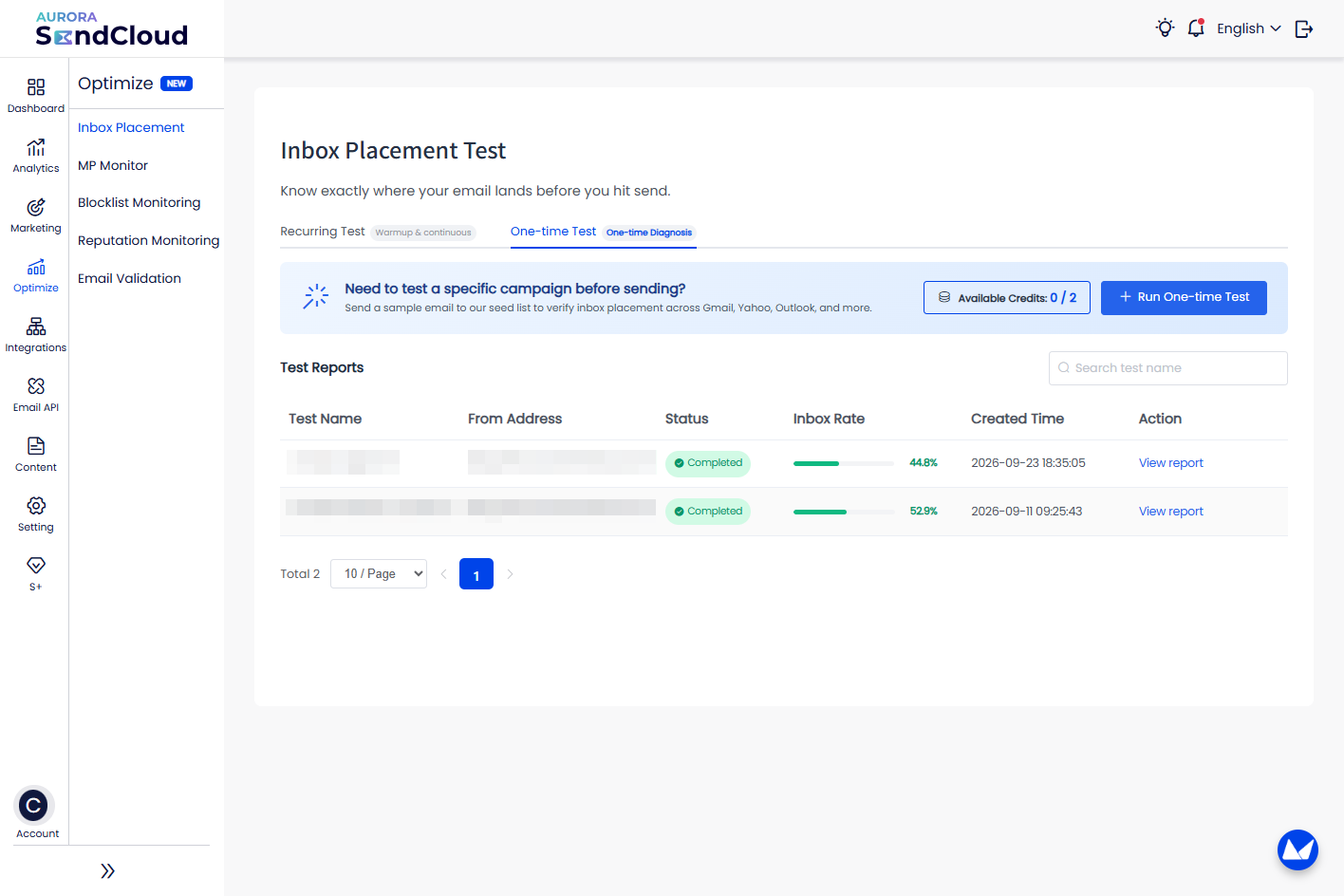
Switch to the One-time Test tab to create and review individual placement tests instead of continuous monitoring.
At the top, a banner shows:
- Available Credits — your remaining balance for running tests (e.g. 0 / 2)
- Run One-time Test — click to start a new test by selecting a template and choosing which providers to test against
Below the banner, the Test Reports table lists all your past tests: Test Name, From Address, Status, Inbox Rate, Created Time and Action.
Use the search bar to find a test by name, and the pagination controls at the bottom to browse older tests.
Updated about 1 month ago